> ## Documentation Index
> Fetch the complete documentation index at: https://docs.winedirectfulfillment.com/llms.txt
> Use this file to discover all available pages before exploring further.
# DMARC Configuration
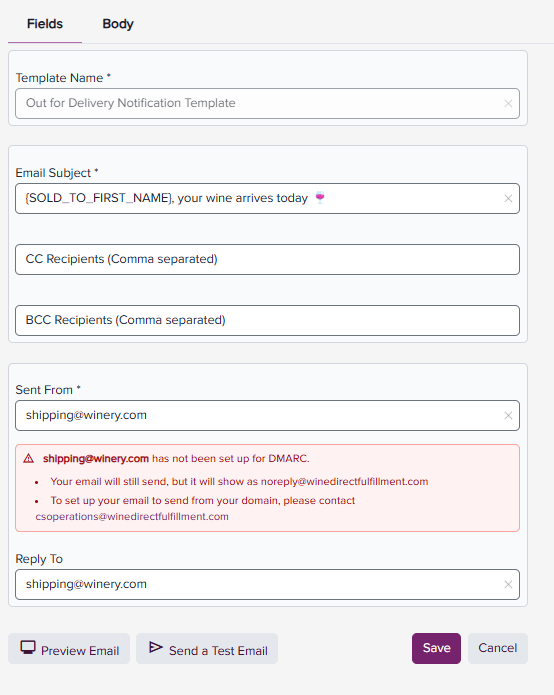
To ensure your shipment notification emails are sent from your winery's email domain and appear consistent with your brand, the Template Editor checks whether DMARC has been configured for your selected "Sent From" email address.
If DMARC is configured, you'll see a green confirmation message. If it isn't, you'll see a red alert with instructions for completing setup.
DMARC authentication authorizes WineDirect Fulfillment to send emails on behalf of your domain. Without DMARC configuration, shipment notifications will be sent from [**noreply@winedirectfulfillment.com**](mailto:noreply@winedirectfulfillment.com) instead of your winery's email address.
To get started, ensure you or your IT team has access to your company's DNS settings, then contact us at [**csoperations@winedirectfulfillment.com**](mailto:csoperations@winedirectfulfillment.com) for setup assistance.