> ## Documentation Index
> Fetch the complete documentation index at: https://docs.winedirectfulfillment.com/llms.txt
> Use this file to discover all available pages before exploring further.
# Pickup/Delivery Locations
> Configuration and listing of all physical addresses saved for inventory pickup and drop-off locations
This page is dedicated to the configuration and listing of all physical addresses saved for a specific client. These addresses are required to allow for the completion of Inventory OUT submissions and to provide our Operations team drivers the location of a specific inventory pickup or drop-off.
Most of the initial addresses will be configured during the Onboarding stage, however should the user wish to add or edit a new address, or Site Code, clicking Add New will open a field box for the user to complete.
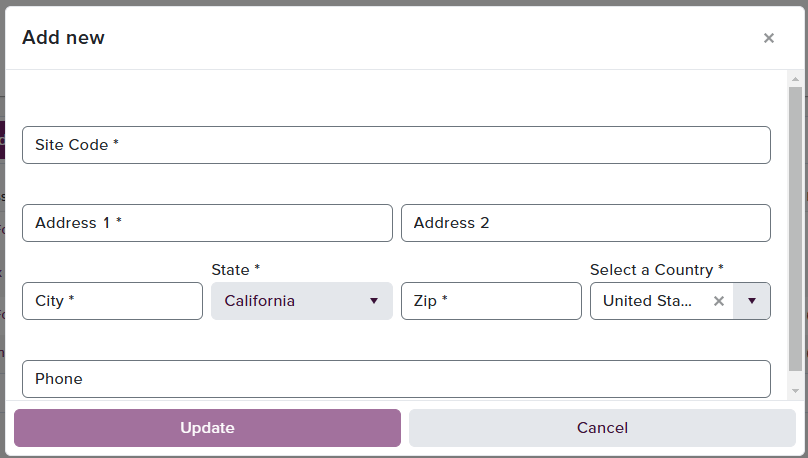 Upon clicking Update, the entry will be saved. If the user needs to edit a pre-existing Site Code, select the three-dot dropdown to the right of the entry and click 'Edit'. The same billing site box will populate allowing the changes to be made.
