> ## Documentation Index
> Fetch the complete documentation index at: https://docs.winedirectfulfillment.com/llms.txt
> Use this file to discover all available pages before exploring further.
# Back Orders
> How to view and manage back orders in the WineDirect Fulfillment portal
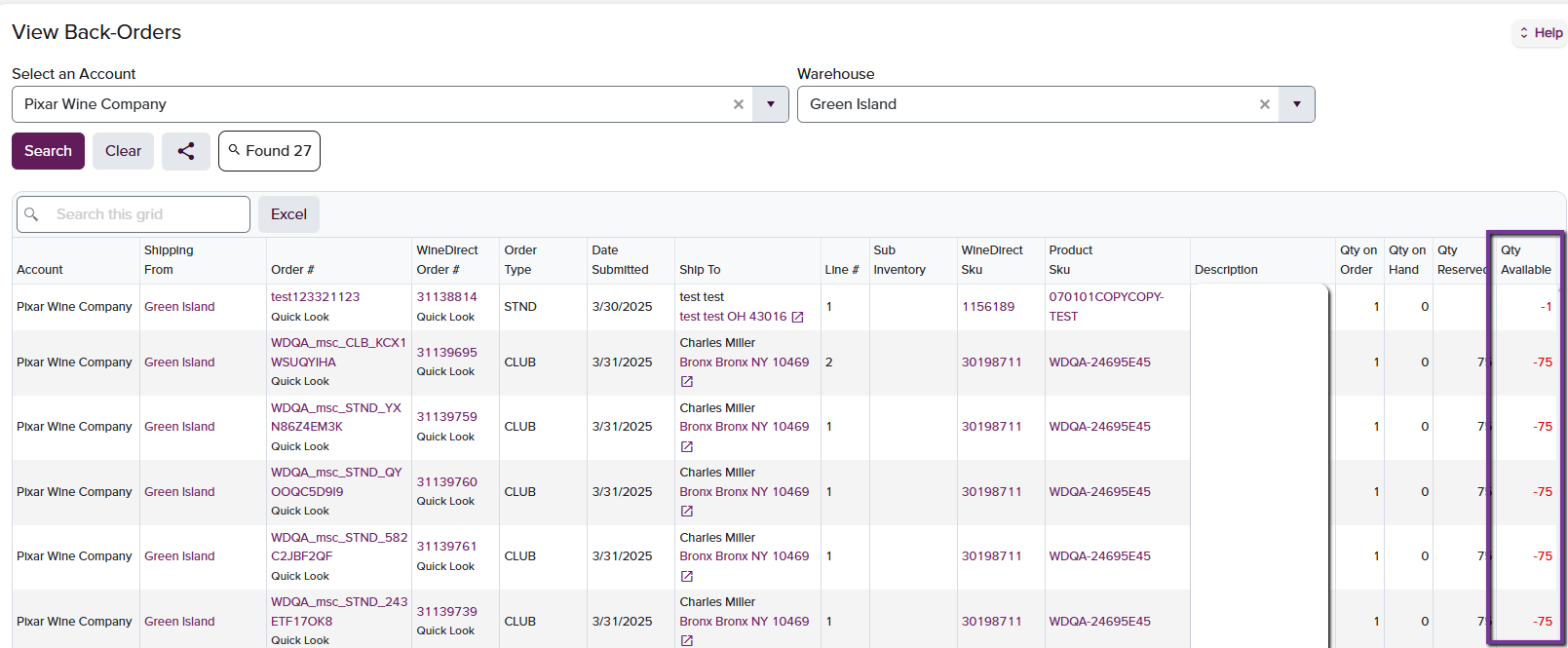
The Back Orders page allows the user to view, on an order-level, the line items that are insufficient and thus are queued on hold for fulfillment. The client can select based on Warehouse, or view all fulfillment locations.
 ## Key Features
* **Order-level visibility** of insufficient line items
* **Warehouse filtering** to view specific fulfillment locations
* **All locations view** for comprehensive back order management
* Items queued on hold due to insufficient inventory
***
The Back Orders page provides essential visibility into inventory shortfalls, helping you prioritize fulfillment and manage customer expectations effectively.
## Key Features
* **Order-level visibility** of insufficient line items
* **Warehouse filtering** to view specific fulfillment locations
* **All locations view** for comprehensive back order management
* Items queued on hold due to insufficient inventory
***
The Back Orders page provides essential visibility into inventory shortfalls, helping you prioritize fulfillment and manage customer expectations effectively.