> ## Documentation Index
> Fetch the complete documentation index at: https://docs.winedirectfulfillment.com/llms.txt
> Use this file to discover all available pages before exploring further.
# Bulk Order Update
> The Bulk Order Update feature allows you to update a limited set of order attributes for a batch of orders simultaneously.
**NOTE:** The feature is permissions-based. If you would like access to the Bulk Order Update, please reach out to your assigned Account Manager.
## Search and Select Orders
In the fulfillment portal, you can use our advanced search options. You can search orders by account, custom date range, preset date ranges, and 7 order parameters.
New! The advanced search options have been expanded to include additional search attributes such as **State, Service Level, Batch ID**, and **Order Number**! Simply copy & paste order numbers directly into the box to further refine your search query!
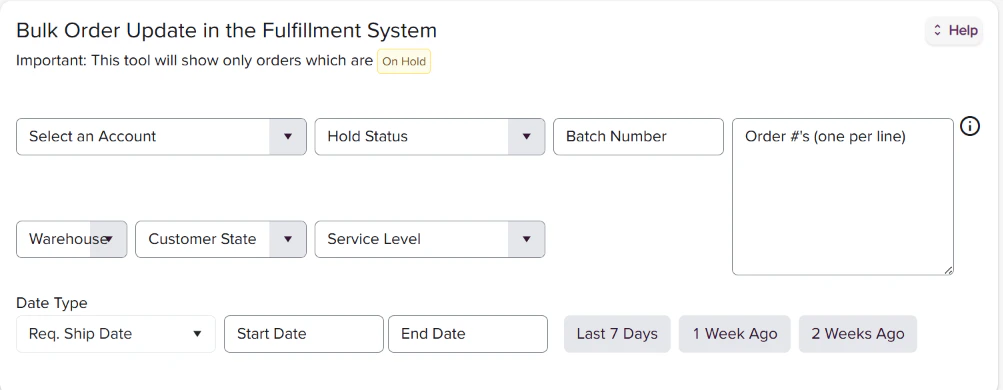 Once you have pulled the list, you can export it as an Excel file.
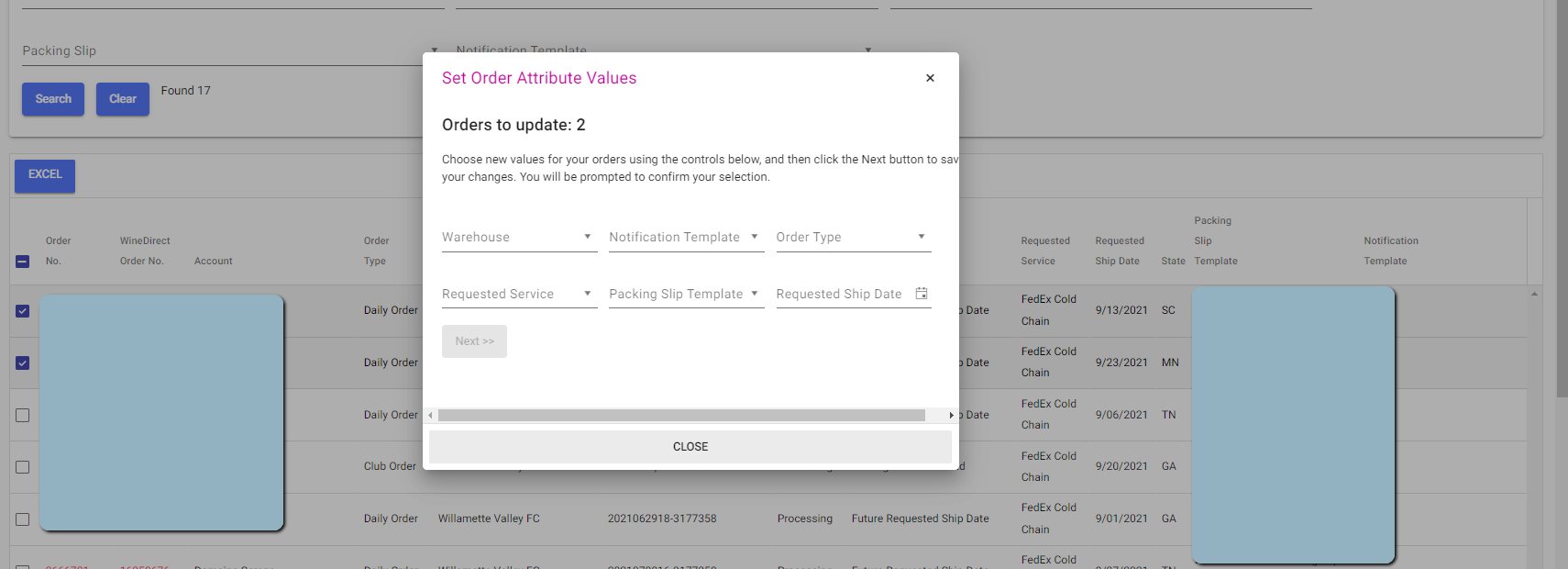
From the list, select the order(s) you would like to make changes to. To select the orders, click on the check box on the left-hand side. To select all orders, click on the check box in the header.
**NOTE:** When "Select All" is chosen, all orders, even on subsequent pages, will be selected.
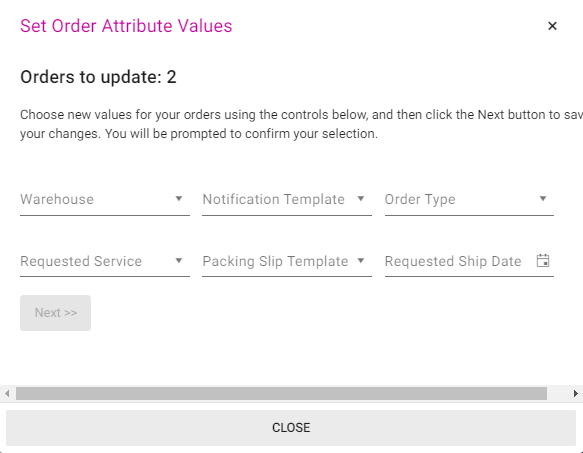
Once the batch of orders is selected, click on "Select Order Attributes to Update." This will bring up a window with a summary of the # of orders selected and all the changeable attributes.
Once you have pulled the list, you can export it as an Excel file.
From the list, select the order(s) you would like to make changes to. To select the orders, click on the check box on the left-hand side. To select all orders, click on the check box in the header.
**NOTE:** When "Select All" is chosen, all orders, even on subsequent pages, will be selected.
Once the batch of orders is selected, click on "Select Order Attributes to Update." This will bring up a window with a summary of the # of orders selected and all the changeable attributes.
 ## Applying Changes
Once the changes have been selected, click "Next."
A submission disclaimer will appear.
**NOTE:** Once the changes are applied, there's no undo button.
Click into the check box of the disclaimer and click "Next" to apply the changes. Allow a minute or two for the module to apply the changes.
## Available Order Attributes
The current order attributes available for a bulk update are:
* **Ship From Warehouse**
* **Notification Template,** aka the Shipment Notification
* Only applicable to Fulfillment clients
* **Order Type**
* **Requested Service Level**
* **Packing Slip Template**
* **Requested Ship Date**
When the changes have been applied, a confirmation summary will populate.
Click "Close" to exit the pop-up window and resume your session.
## Live Now!! Bulk Order Update v2:
### Permission-Based Enhanced Features to Bulk Order Update
The below enhanced features are only accessible to users who have the Bulk Order Update permission turned ON. To explore and use the features listed below, please confirm with your Account Manager that these permissions are granted under your portal username.
As we continue to improve the user experience of our portal, we have enhanced the Bulk Order Update tool to include the editing of SKUs and line items within orders selected in Bulk, as well as the ability to populate a report of selected and corrected orders to view after the update has processed.
### Added Features:
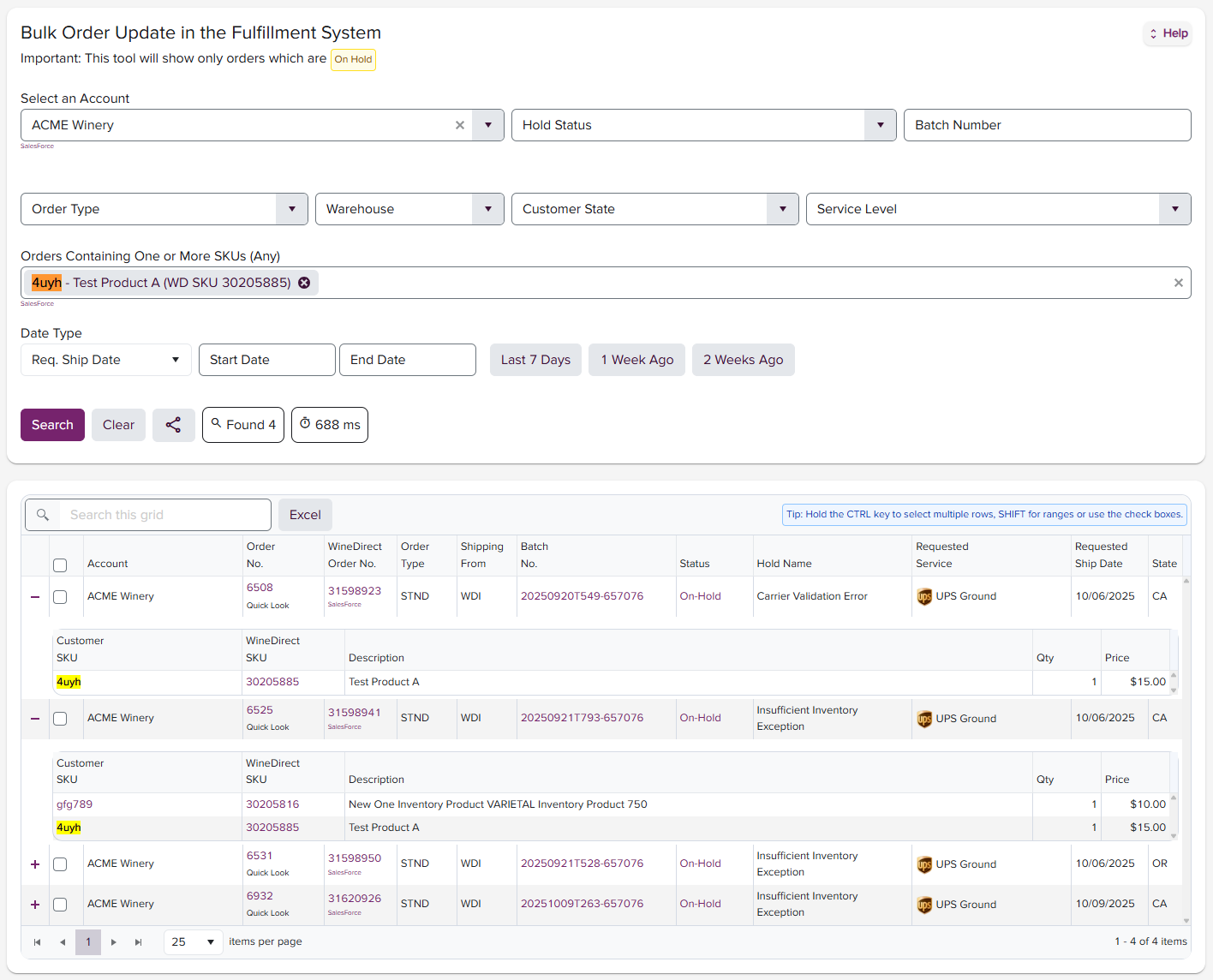
* Search/filter by SKU #
* Expand orders in search results to see SKU details
## Applying Changes
Once the changes have been selected, click "Next."
A submission disclaimer will appear.
**NOTE:** Once the changes are applied, there's no undo button.
Click into the check box of the disclaimer and click "Next" to apply the changes. Allow a minute or two for the module to apply the changes.
## Available Order Attributes
The current order attributes available for a bulk update are:
* **Ship From Warehouse**
* **Notification Template,** aka the Shipment Notification
* Only applicable to Fulfillment clients
* **Order Type**
* **Requested Service Level**
* **Packing Slip Template**
* **Requested Ship Date**
When the changes have been applied, a confirmation summary will populate.
Click "Close" to exit the pop-up window and resume your session.
## Live Now!! Bulk Order Update v2:
### Permission-Based Enhanced Features to Bulk Order Update
The below enhanced features are only accessible to users who have the Bulk Order Update permission turned ON. To explore and use the features listed below, please confirm with your Account Manager that these permissions are granted under your portal username.
As we continue to improve the user experience of our portal, we have enhanced the Bulk Order Update tool to include the editing of SKUs and line items within orders selected in Bulk, as well as the ability to populate a report of selected and corrected orders to view after the update has processed.
### Added Features:
* Search/filter by SKU #
* Expand orders in search results to see SKU details
 * Add/Edit/Remove SKUs:
* Select any group of orders based on the above search filters, including specific SKU
Click Update Selected Orders
* Add/Edit/Remove SKUs:
* Select any group of orders based on the above search filters, including specific SKU
Click Update Selected Orders
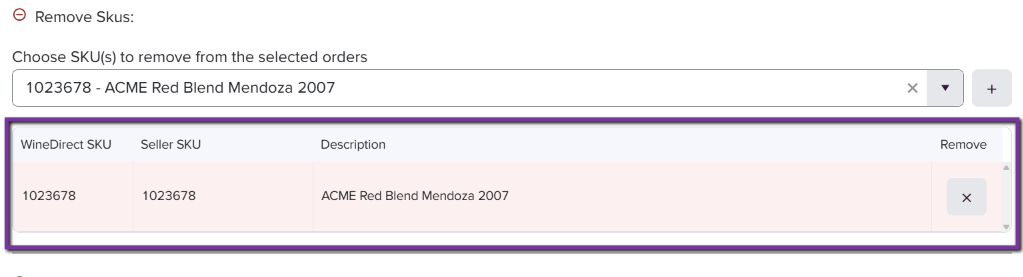
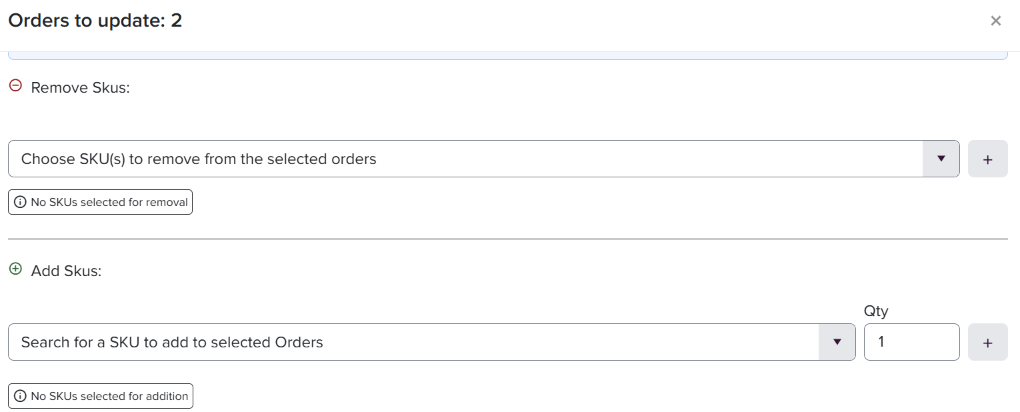 * Here, you can begin to type the desired SKU you wish to remove or add.
* Once the SKU has populated, press the + button to the right of the listed SKU to confirm it is displayed as selected.
* This removal/addition will affect the entire group of pre-selected orders.
At this point, you can also edit the total quantity. of the desired SKU.
* Here, you can begin to type the desired SKU you wish to remove or add.
* Once the SKU has populated, press the + button to the right of the listed SKU to confirm it is displayed as selected.
* This removal/addition will affect the entire group of pre-selected orders.
At this point, you can also edit the total quantity. of the desired SKU.

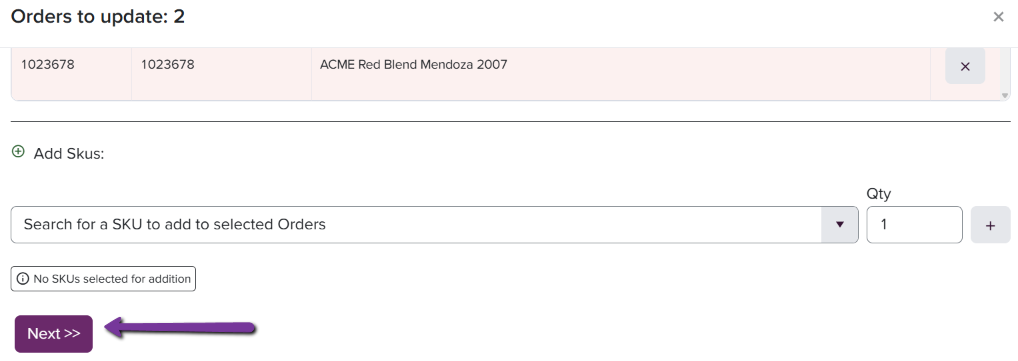 * Click Next >>
* A message will populate asking you to confirm that orders will be updated
Remember, there is no UNDO option once this button is clicked
* Click Next >>
* A message will populate asking you to confirm that orders will be updated
Remember, there is no UNDO option once this button is clicked

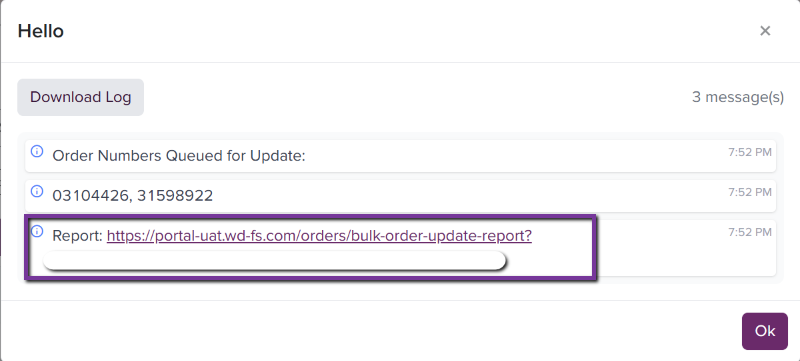 A confirmation box will appear, including a report that can be viewed and exported, which will list all orders selected and modified.
Please note that changes to orders may take up to 10 minutes to reflect in the system.
A confirmation box will appear, including a report that can be viewed and exported, which will list all orders selected and modified.
Please note that changes to orders may take up to 10 minutes to reflect in the system.