> ## Documentation Index
> Fetch the complete documentation index at: https://docs.winedirectfulfillment.com/llms.txt
> Use this file to discover all available pages before exploring further.
# Claims
> This article provides information on how clients can submit, search for, and view claims directly from their WineDirect Fulfillment portal
## Submitting a Claim
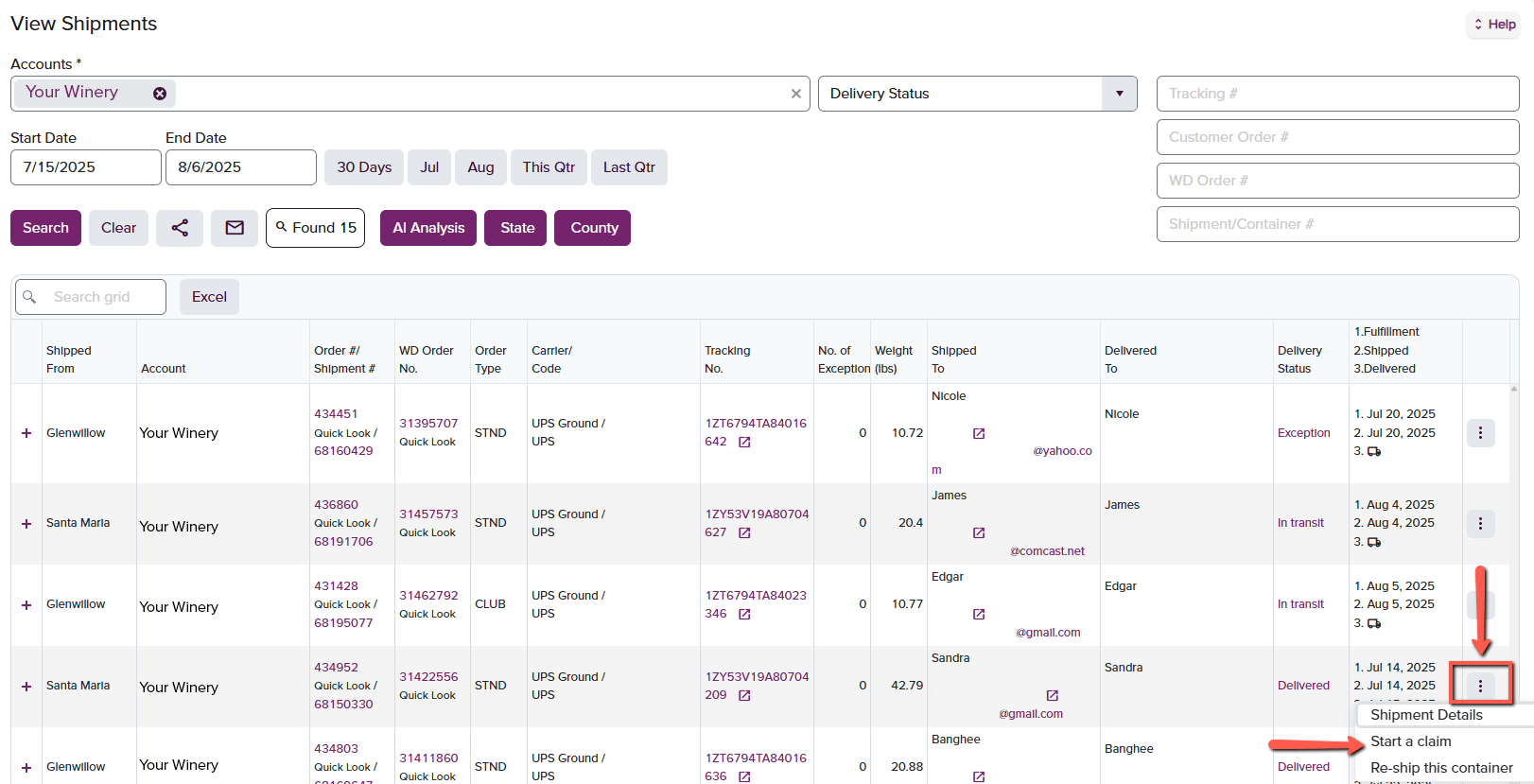
Claims can be initiated by both internal and external users from the **Shipments** page within the Portal. To locate a specific order, use the **Quick Search** function on the right-hand side of the screen. You can search by **Tracking #,** **WD Order #,** or **Customer Order #.** You may also search by **date range** to view multiple orders at once.
Once the desired order is located, click the **three-dot icon (⋯)** on the far right-hand side and select **"Start a Claim"** from the dropdown menu, as shown in the screenshot below.
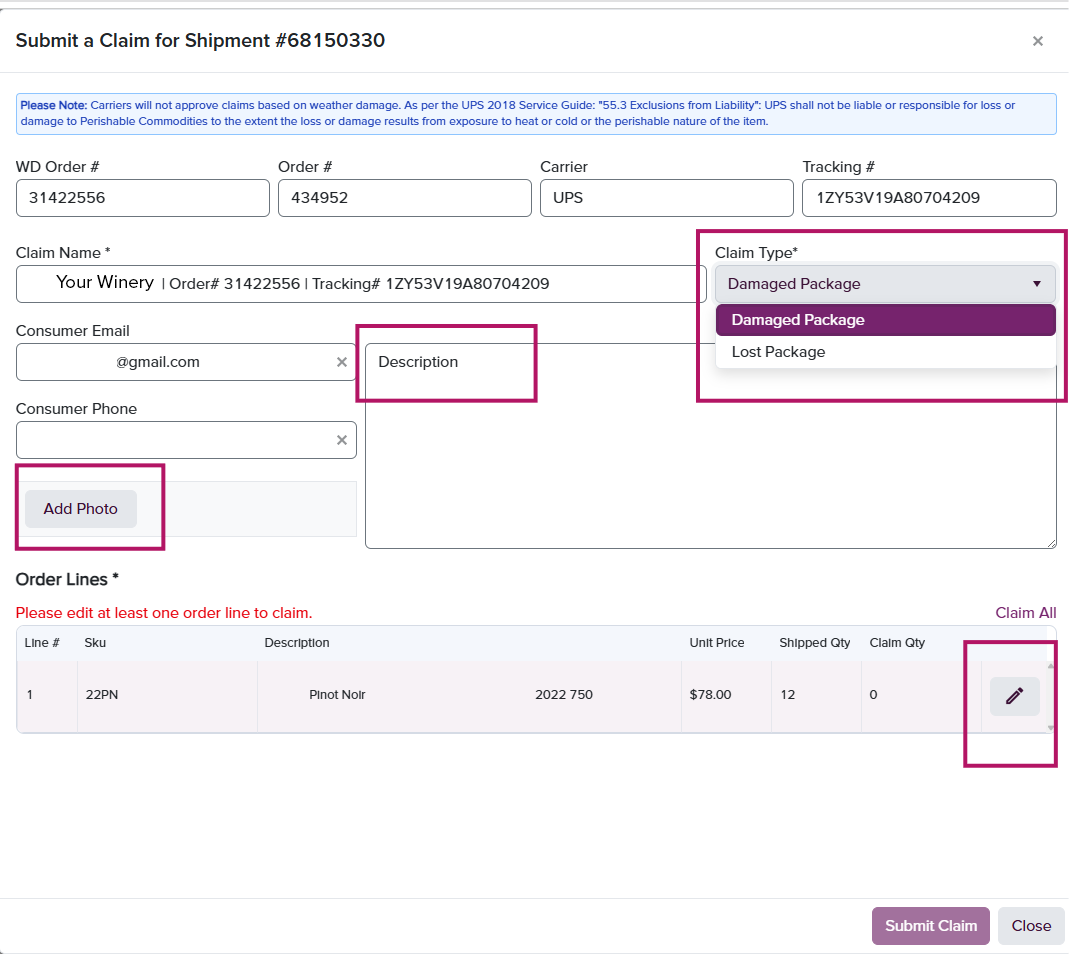
 A new window will appear where you can enter claim details. Select the **specific bottle(s)** and **quantity** that were damaged. Optional fields allow you to:
· Upload a photo
· Add a description
· Mark the shipment as lost
A new window will appear where you can enter claim details. Select the **specific bottle(s)** and **quantity** that were damaged. Optional fields allow you to:
· Upload a photo
· Add a description
· Mark the shipment as lost
 **Note**:
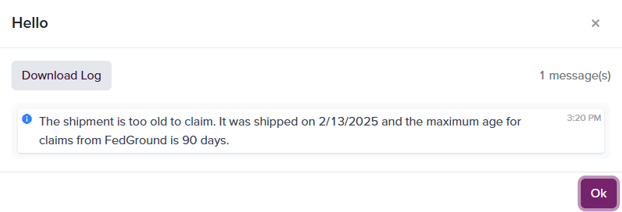
Claims cannot be submitted if the shipment is beyond the carrier’s claim window:
· **FedEx**: 90 days from shipment date
· **UPS**: 181 days from shipment date
If the claim is outside this window, the system will automatically block submission and display a notification, as shown below:
**Note**:
Claims cannot be submitted if the shipment is beyond the carrier’s claim window:
· **FedEx**: 90 days from shipment date
· **UPS**: 181 days from shipment date
If the claim is outside this window, the system will automatically block submission and display a notification, as shown below:
 ## After Submitting a Claim
Once a claim is submitted, our team will review and file it with the appropriate carrier. As soon as we receive a response from the carrier, any approved reimbursement will be credited to your account in the form of a credit memo.
## Viewing a Claim
To view submitted claims, navigate to the **Claims** page in the Portal. Use the **Quick Searc**h bar on the right to find a claim using **Tracking #, WD Order #,** or **Customer Order #.** You can also apply filters to search by:
· Account
· Claim Status
· Claim Type
· Date Range
## After Submitting a Claim
Once a claim is submitted, our team will review and file it with the appropriate carrier. As soon as we receive a response from the carrier, any approved reimbursement will be credited to your account in the form of a credit memo.
## Viewing a Claim
To view submitted claims, navigate to the **Claims** page in the Portal. Use the **Quick Searc**h bar on the right to find a claim using **Tracking #, WD Order #,** or **Customer Order #.** You can also apply filters to search by:
· Account
· Claim Status
· Claim Type
· Date Range
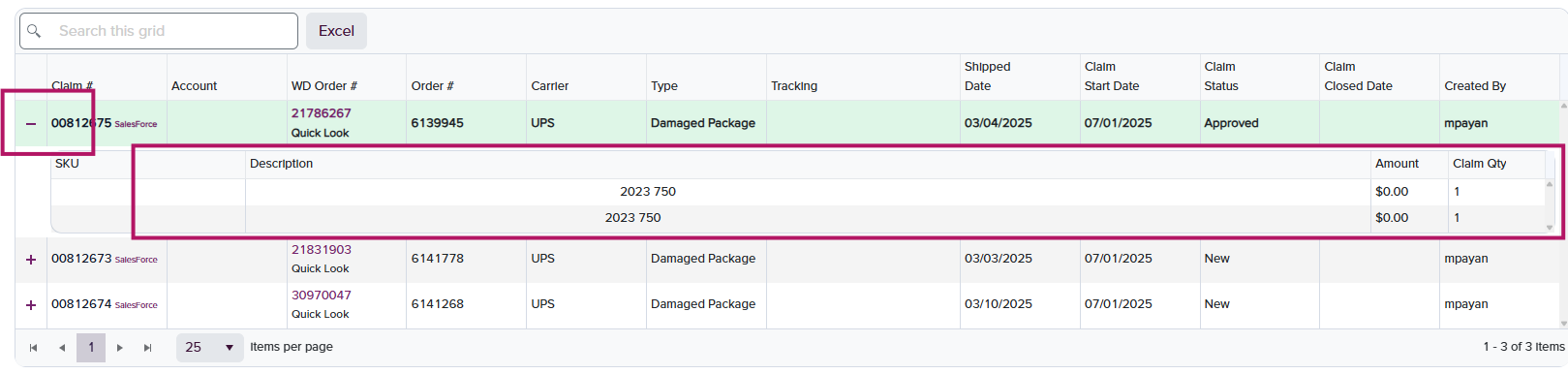
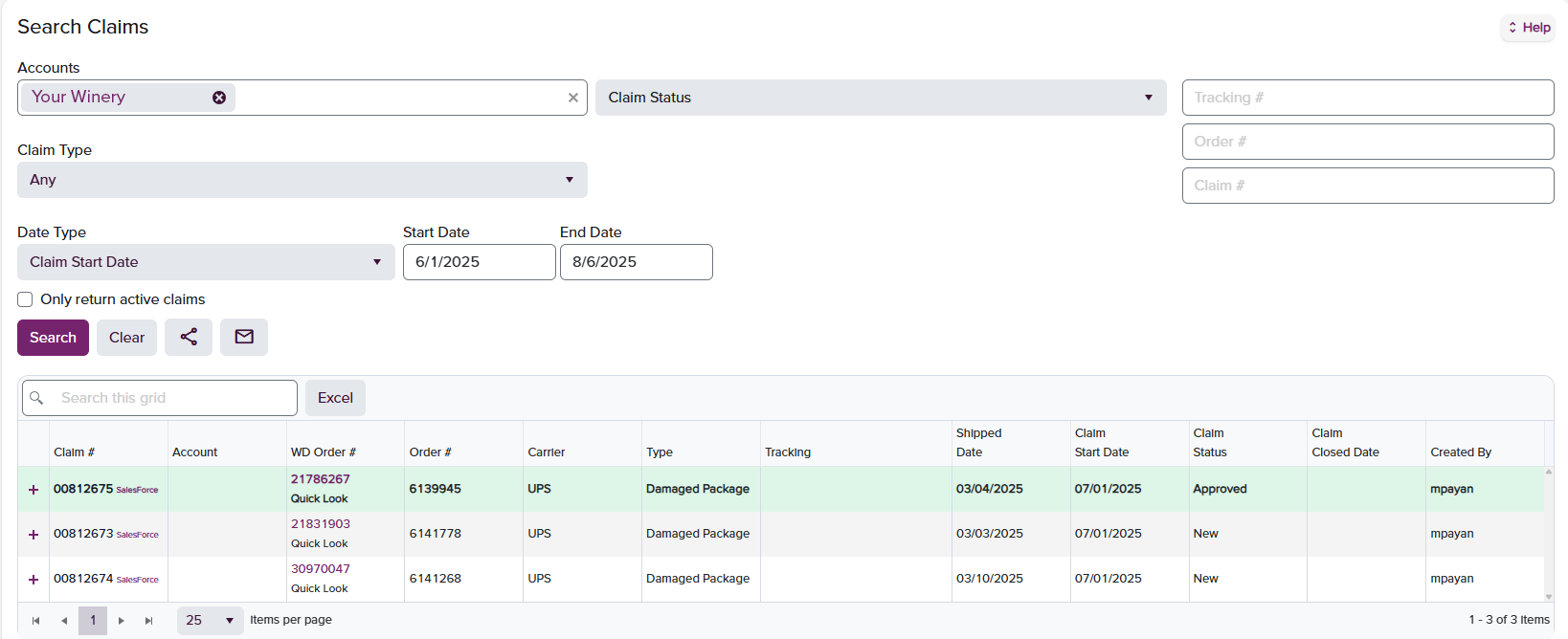 To view claim details for a specific shipment, click the **plus icon (+)** on the far left-hand side of the entry. This will expand the claim and display the submitted details.