> ## Documentation Index
> Fetch the complete documentation index at: https://docs.winedirectfulfillment.com/llms.txt
> Use this file to discover all available pages before exploring further.
# Cancel an Order
> How to cancel orders in the WineDirect Fulfillment Portal
Please Note: Orders can only be cancelled in the WineDirect Fulfillment portal if they are reflecting a status of "On Hold". For any order that has moved beyond the "On Hold" status and has progressed into "Sent to WMS" or "Fulfilling", please email: [csoperations@winedirectfulfillment.co](mailto:csoperations@winedirectfulfillment.co)
### To Cancel Orders that are "On Hold"
1. Search for and select the Order Number
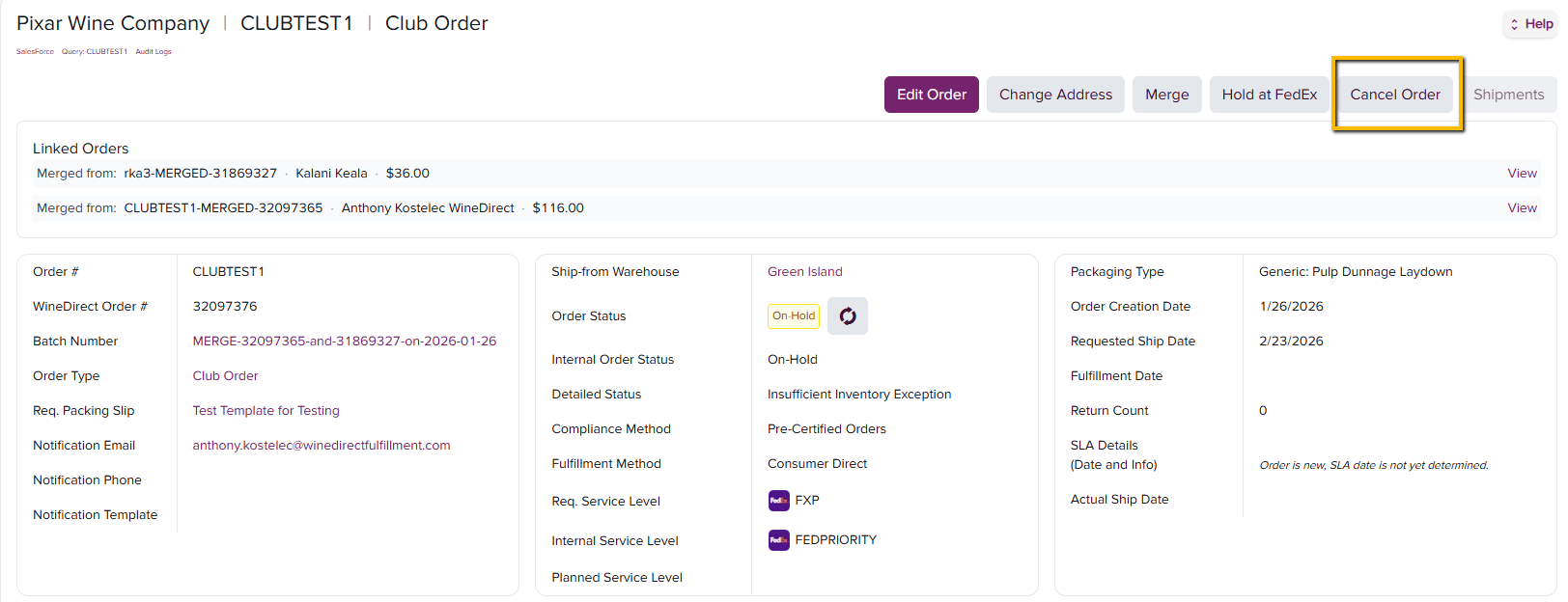
2. Within the Order Details page, locate the Cancel Button
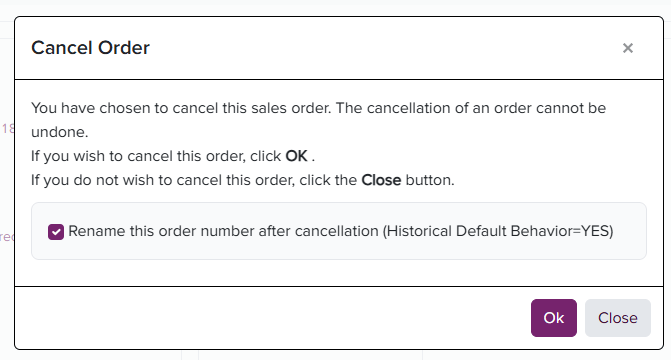
 The system will confirm if you wish to proceed with the cancellation of the order.
3. Press OK
The system will confirm if you wish to proceed with the cancellation of the order.
3. Press OK
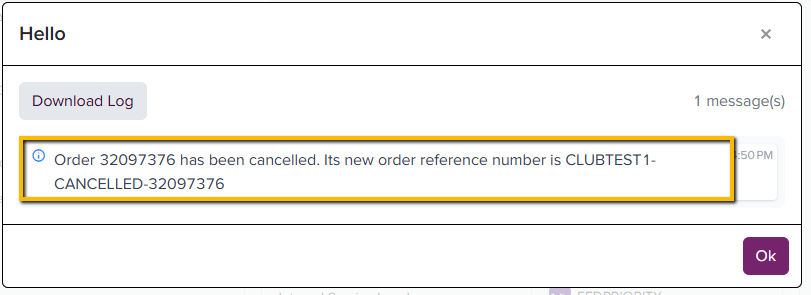
 The system will confirm the cancellation has been completed and keep a record of the cancelled order as: *original order number\_cancelled*