> ## Documentation Index
> Fetch the complete documentation index at: https://docs.winedirectfulfillment.com/llms.txt
> Use this file to discover all available pages before exploring further.
# Change a Ship-From Warehouse
> Learn how to change the ship-from warehouse for orders with bi-coastal shipping
If your account is set up for Bi-Coastal shipping and you have inventory in multiple WineDirect fulfillment centers, you have the option to change the Ship-from Warehouse.
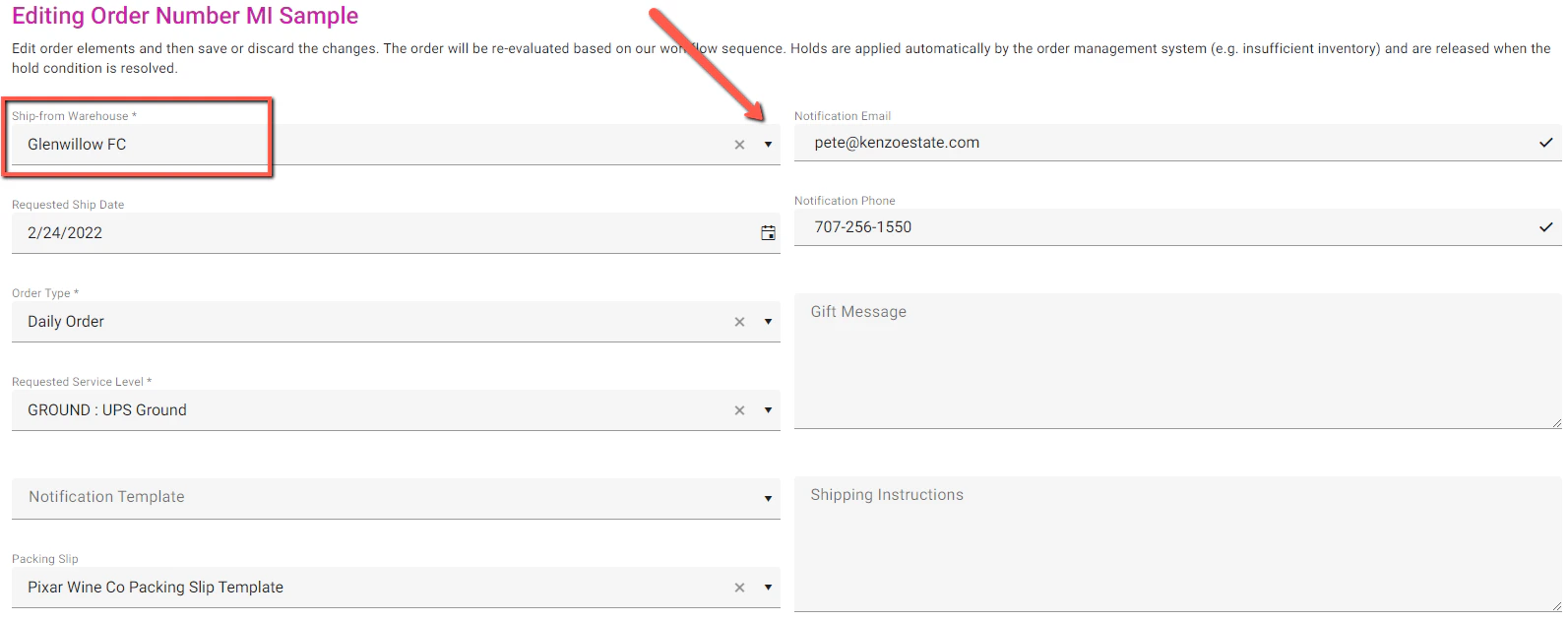
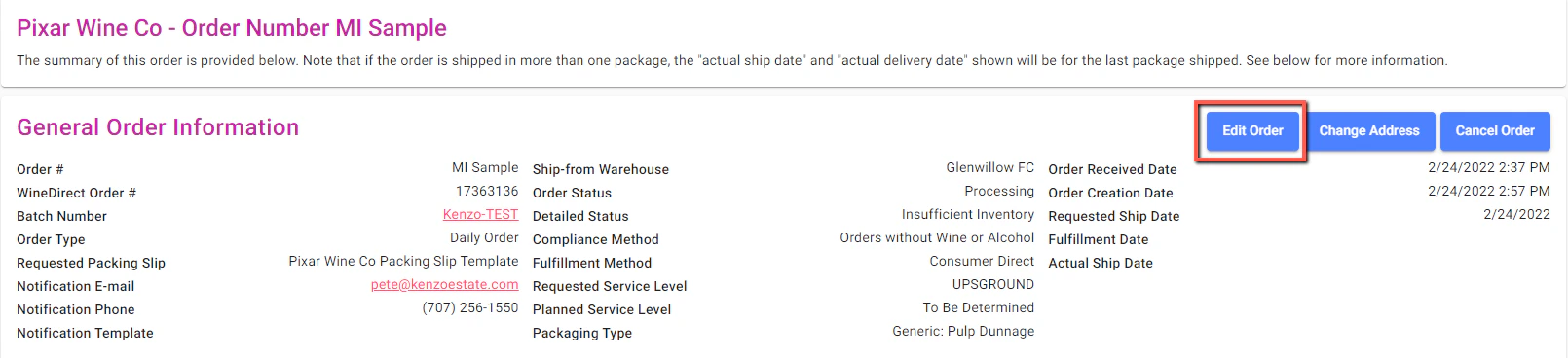 Change the Ship-from Warehouse by clicking the drop-down arrow and view your options. Select your Warehouse option.
\*Note: You will want to check inventory levels on each product in the order to ensure that there is sufficient inventory to fill and ship the order prior to changing the Ship-from Warehouse.
Change the Ship-from Warehouse by clicking the drop-down arrow and view your options. Select your Warehouse option.
\*Note: You will want to check inventory levels on each product in the order to ensure that there is sufficient inventory to fill and ship the order prior to changing the Ship-from Warehouse.
 When finished with edit, click on **Save Order**