> ## Documentation Index
> Fetch the complete documentation index at: https://docs.winedirectfulfillment.com/llms.txt
> Use this file to discover all available pages before exploring further.
# Cancelling an Inventory In Request
> Two methods for cancelling Inventory In requests in the fulfillment system
After processing an Inventory IN, there are two ways to cancel an Inventory In request:
## Option 1 to Cancel:
1. Go to **'View "Inventory In" Requests'** to look up the Inventory In request:
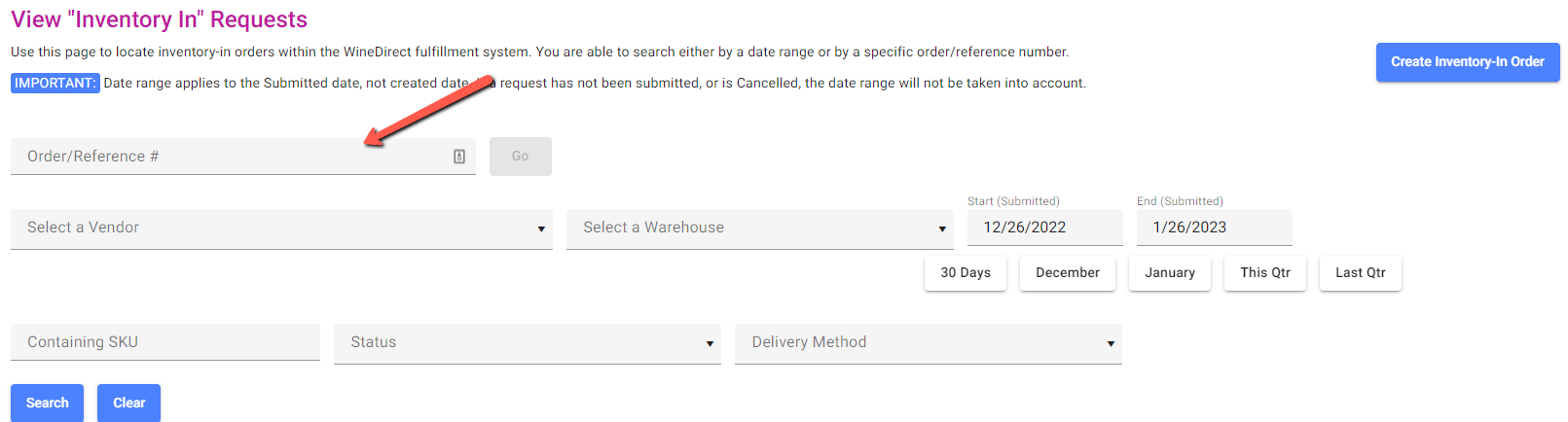 2. Once the desired Inventory In has been located, click the **three-dot icon** to the right of the specified Inventory In and select **Cancel Order** from the dropdown action:
 3. Confirm any confirmation window to save changes.
## Option 2 to Cancel:
1. Go to **'View "Inventory In" Requests'** to look up the Inventory In Order/Reference Number in the search field
2. Click into the desired Inventory In and select **Cancel this Order** option in the red box in the upper left corner:
3. Confirm any confirmation window to save changes.
## Option 2 to Cancel:
1. Go to **'View "Inventory In" Requests'** to look up the Inventory In Order/Reference Number in the search field
2. Click into the desired Inventory In and select **Cancel this Order** option in the red box in the upper left corner:
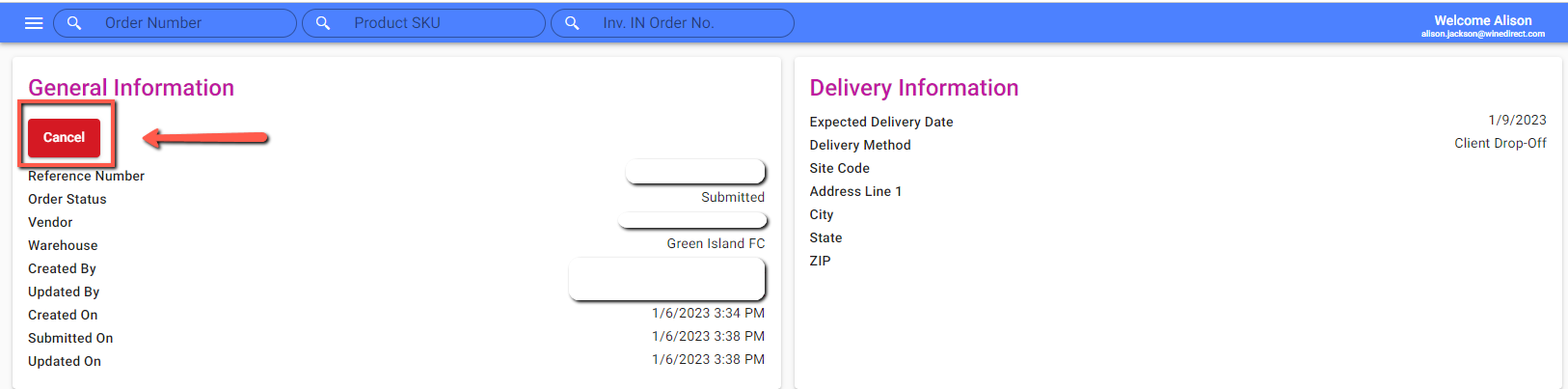 3. Confirm any confirmation window to save changes.
**Reminder:** Inventory In submissions can only be canceled if they have a status of **"Fulfilling"** or **"Draft"**. **"Processing"** or **"Closed"** submission statuses cannot be canceled in the system.
3. Confirm any confirmation window to save changes.
**Reminder:** Inventory In submissions can only be canceled if they have a status of **"Fulfilling"** or **"Draft"**. **"Processing"** or **"Closed"** submission statuses cannot be canceled in the system.