> ## Documentation Index
> Fetch the complete documentation index at: https://docs.winedirectfulfillment.com/llms.txt
> Use this file to discover all available pages before exploring further.
# Deactivating a SKU/Product
> Step-by-step guide to remove SKUs from your product listing in the WD Portal
If a SKU is no longer for sale and you would like it removed from your product listing in the WD Portal, please follow the steps below.
## Step-by-Step Instructions
### 1. Navigate to Products
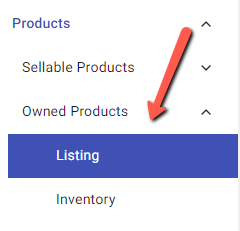
Go to the **"Products"** tab
### 2. Access Owned Products
Select **"Owned Products"** and **"Listing"**
 ### 3. Search for SKU
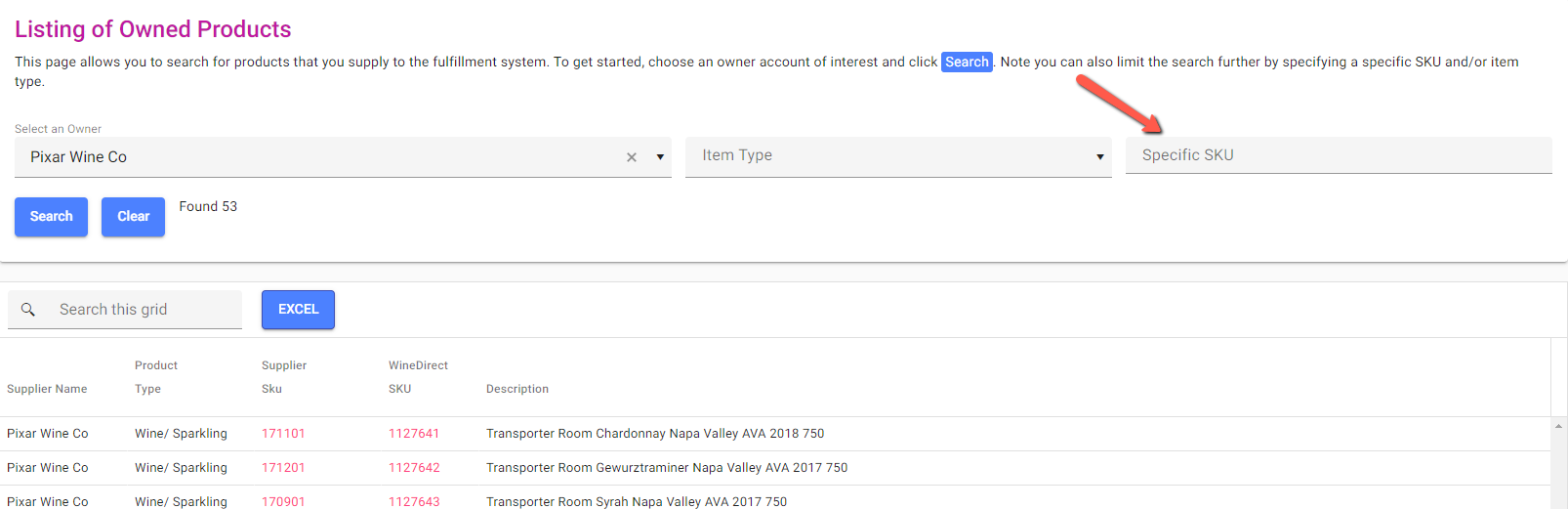
You can enter the specific SKU you would like to remove or select from the results in your search query.
### 3. Search for SKU
You can enter the specific SKU you would like to remove or select from the results in your search query.
 ### 4. View SKU Details
Click on your **Supplier SKU** or **Winedirect SKU** to view the details of the SKU.
### 5. Deactivate the SKU
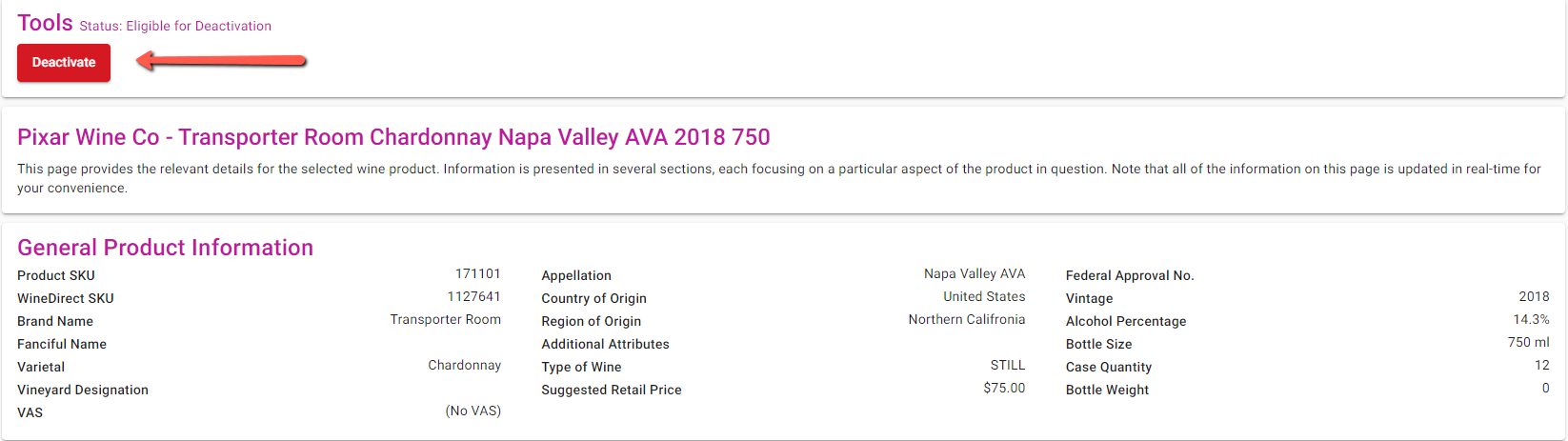
Click on the red **X "Deactivate"** icon on the upper left side of the product details and confirm any confirmation window that appears.
### 4. View SKU Details
Click on your **Supplier SKU** or **Winedirect SKU** to view the details of the SKU.
### 5. Deactivate the SKU
Click on the red **X "Deactivate"** icon on the upper left side of the product details and confirm any confirmation window that appears.
 ### 6. Cancel Option Available
If you wish to cancel the deactivation, you may select the **"Cancel Deactivation"** button.
Once a product is deactivated, it will be **removed from your product listing**.
If you have any questions, please contact your **Account Coordinator** or your **Account Manager**.
### 6. Cancel Option Available
If you wish to cancel the deactivation, you may select the **"Cancel Deactivation"** button.
Once a product is deactivated, it will be **removed from your product listing**.
If you have any questions, please contact your **Account Coordinator** or your **Account Manager**.