

What is the Low Inventory Report?
Located within the Products & Inventory Reports chapter, the Low Inventory/Low Stock Report will highlight low inventory at ‘0’ or below ‘0’ of the Available to Sell column as well as list the current sub-inventory where additional inventory is available, if applicable.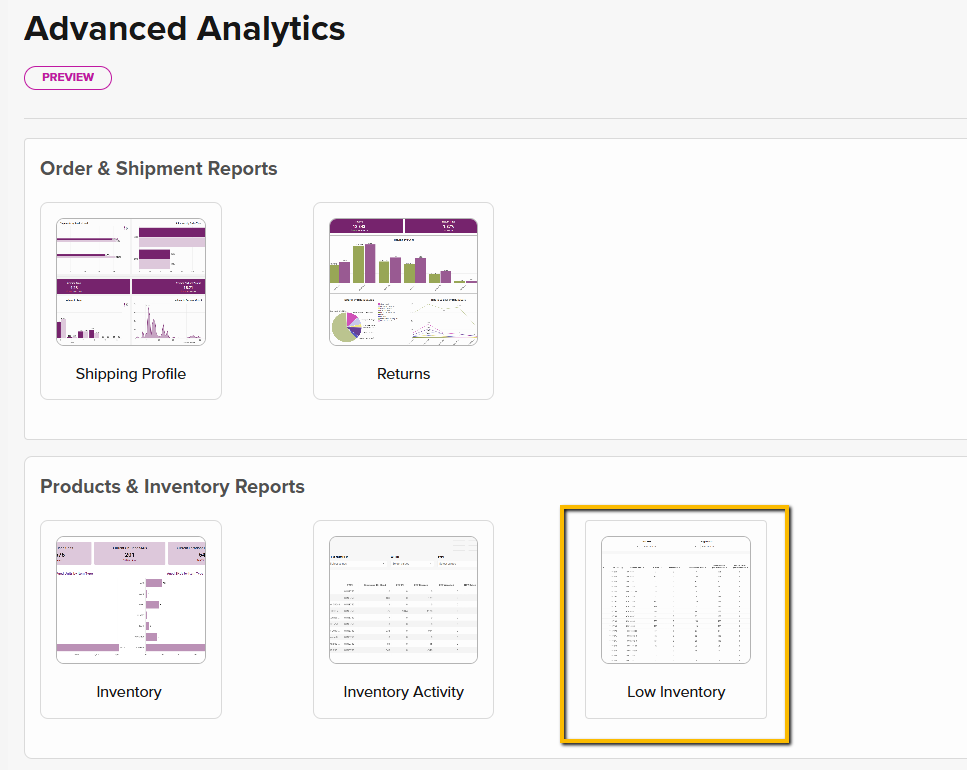
When Does the Low Inventory Report Sync?
The report refreshes nightly & at 1:30 pm PT daily, allowing users to stay ahead of situations involving insufficient inventory.How to Export and Schedule an Export to Send
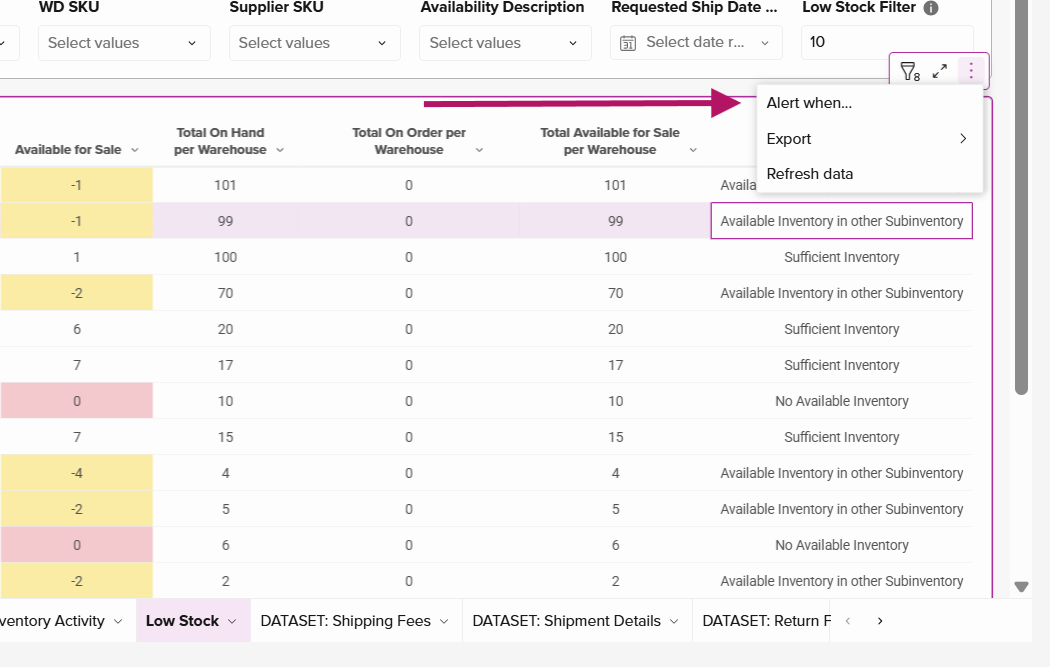
The Low-Inventory report has a multitude of different customizations that can be set and exported, allowing the client to view all aspects of low inventory and be prepared when managing order fulfillment.- Hover to the right upper corner of the report until the icon appears. Click the three-dot icon to expand Alert When, Export, & Refresh Data options:
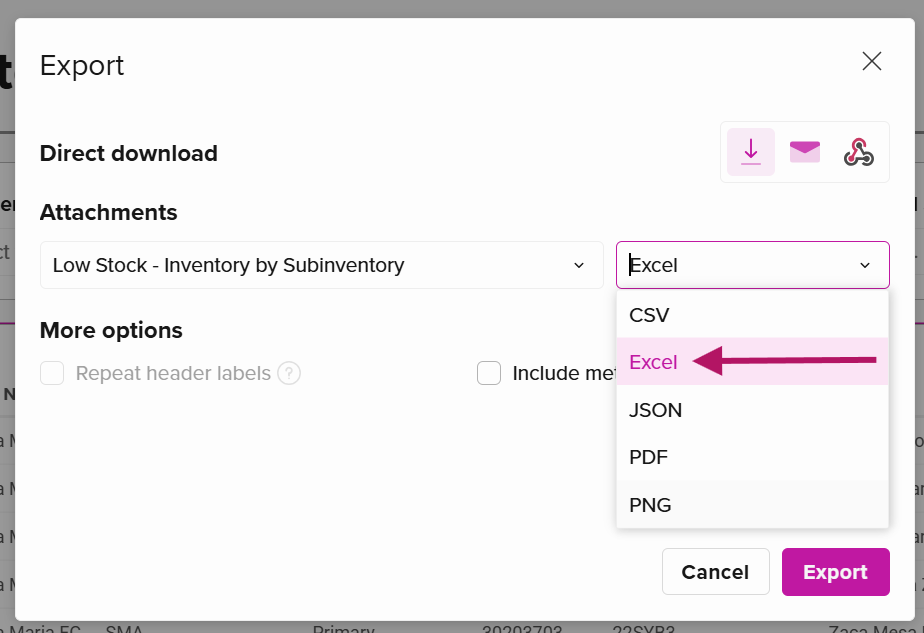
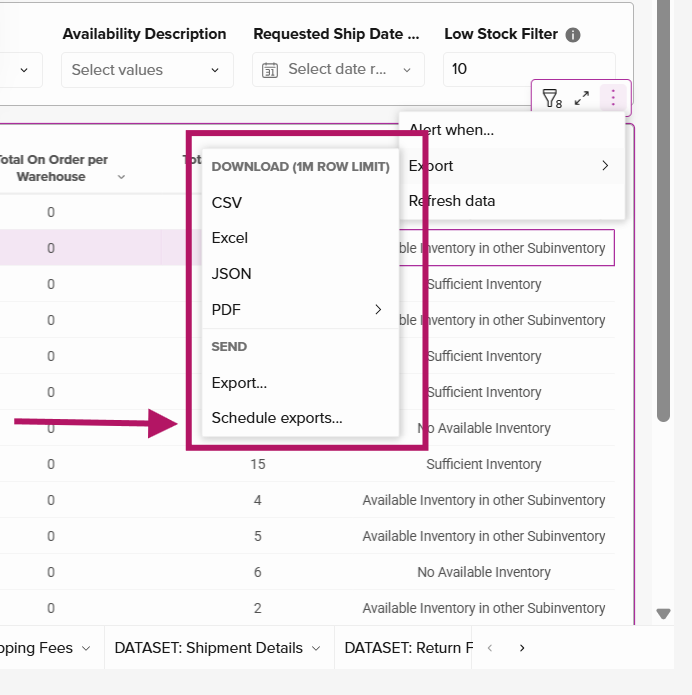
- Once the Export option is clicked, a list of download formats will populate, including the ability to send and schedule exports. a. Export options range from CSV, PDF, to Excel, with the Excel format being the most common to view inventory data.
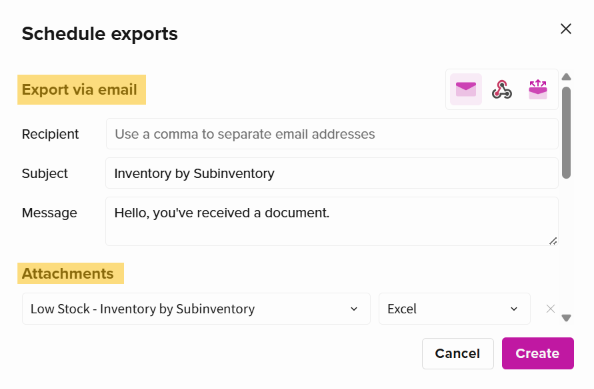
- The fields that can be customized for the scheduled export are as follows:
- Recipient: The user can enter multiple email addresses of those who will receive the report.
- Subject: The title of the emailed report can be customized here.
- Message: The message of the email can be customized here.
- Attachments: the default attachment will be the Low Inventory Report. a. Users can click through various formats to view the data. The Excel format is the most common for viewing inventory reports.
- Frequency: frequency can be customized to the user’s preference. The report is synced with the SIGMA system nightly and at 1:30 PM PT.
Frequency Settings:
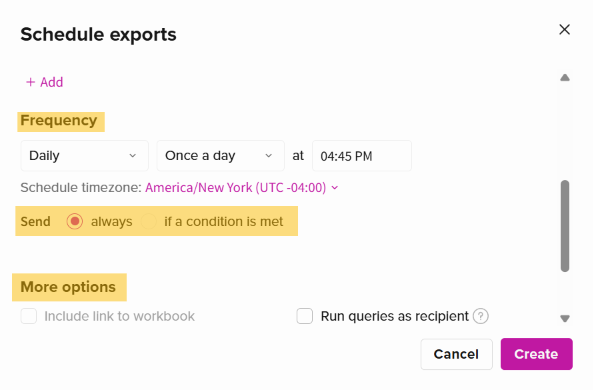
- Send:
- Always: the report will be sent regardless of the data or condition
- If a condition is met:
- Additional filters will populate, allowing the user to further customize the conditions of data being triggered to be exported and emailed, including:
- Send: if a condition is met, if there’s no data, if there’s data
- In data element: Low-Stock (the source of data)
-
Ability to specify values greater or less than
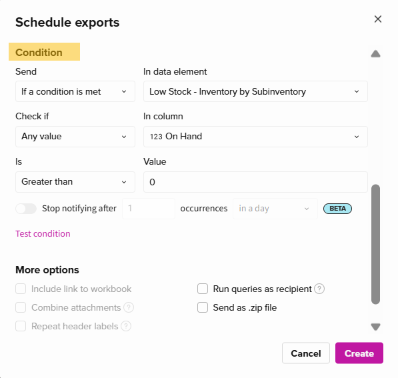
- Additional filters will populate, allowing the user to further customize the conditions of data being triggered to be exported and emailed, including:
- More Options:
-
Further conditions can be calibrated by clicking Customize Control Values:
.png?fit=max&auto=format&n=LkWOX9IKftsNxzpR&q=85&s=00ec0f4c60431ccaa0aae6cb0ad33f7d)
-
Further conditions can be calibrated by clicking Customize Control Values:
- Within this customization window, users can determine certain descriptions that the system will source data from.
- An example of this is shown in the image above: the rule is available inventory in other Subinventory showing available to sell quantity greater than -1 for orders reflecting a requested ship date on or before 30 days from the date of report pull. TIP: The search results in the Search to add control drop-down are for all pages in the Advanced Analytics. Type “low” in the field to narrow down queries about low-inventory rules that apply to this report!