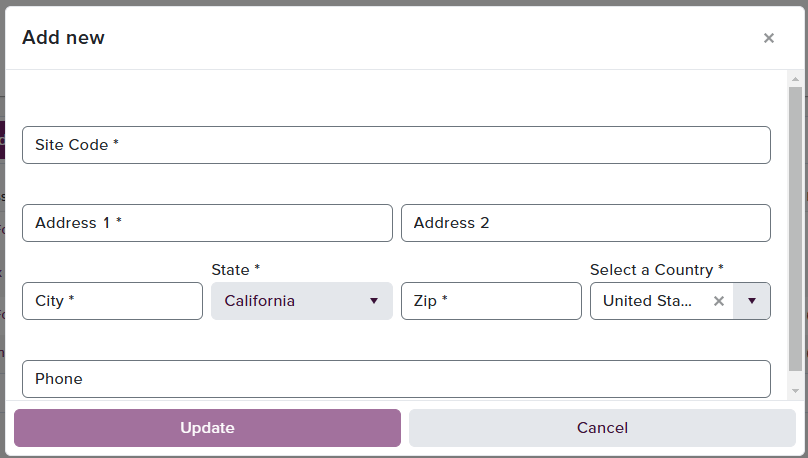

This page is dedicated to the configuration and listing of all physical addresses saved for a specific client. These addresses are required to allow for the completion of Inventory OUT submissions and to provide our Operations team drivers the location of a specific inventory pickup or drop-off. Most of the initial addresses will be configured during the Onboarding stage, however should the user wish to add or edit a new address, or Site Code, clicking Add New will open a field box for the user to complete. Upon clicking Update, the entry will be saved. If the user needs to edit a pre-existing Site Code, select the three-dot dropdown to the right of the entry and click ‘Edit’. The same billing site box will populate allowing the changes to be made.

Where Site Codes are used

Site Codes reference physical pickup and drop-off addresses for inventory movement only. They apply to:
  • Inventory OUT submissions, including WD Pickup (WD_PICKUP) transfers where the PickupSiteId field is required. See Create OUT Request.
  • Inventory IN submissions where a WineDirect driver picks up product from a client location. See Create IN Request.
Site Codes are not shortcuts for consumer or wholesale order addresses. The Submit Orders API does not accept a Site Code in place of shipToAddress, soldToAddress, or deliverToAddress. Every order submitted through /api/v1/Orders/SubmitOrders must include the full address fields on the order itself, even when the destination matches a saved Pickup/Delivery Location.