

Rates
The maximum declared value per shipment is $1,000.
Add declared value to an order
1
Open the order
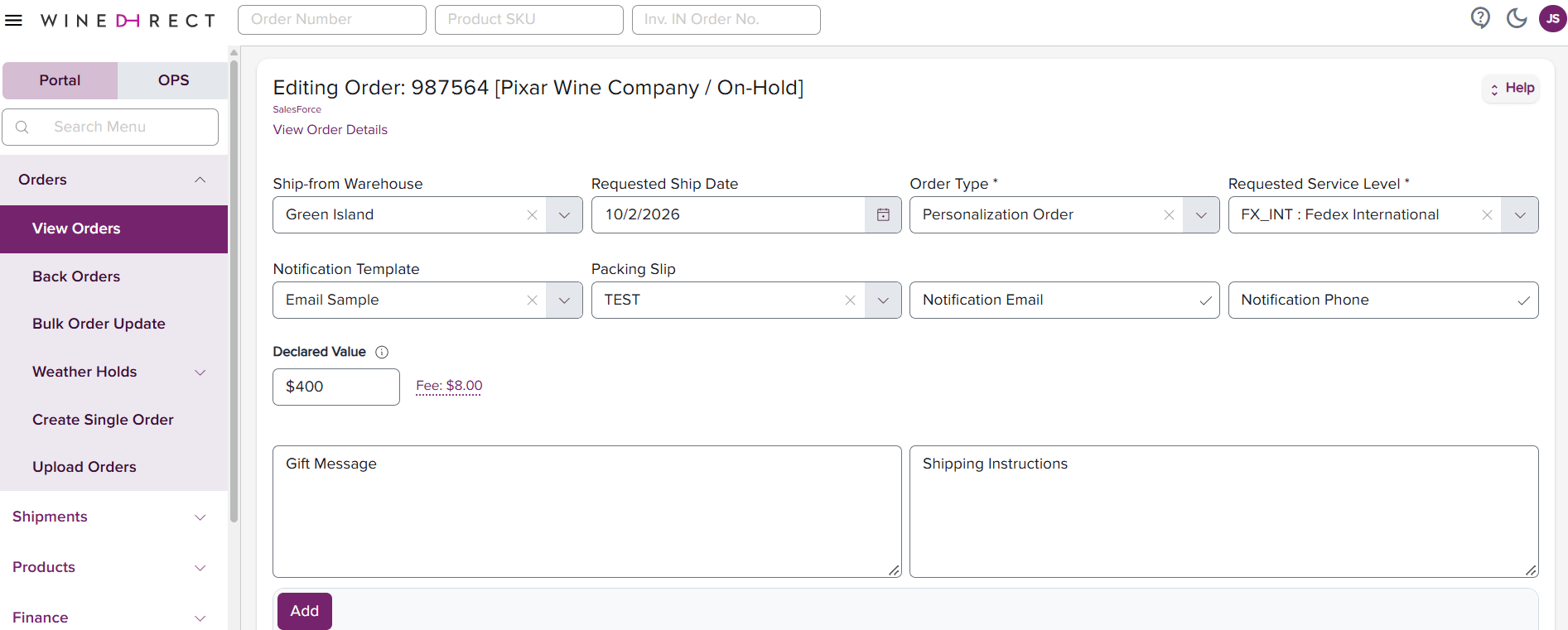
Go to the Order Edit page for the order you want to cover. The Declared Value field starts at $100, and the fee shows $0.00 in grey italic. This is the standard coverage included with every shipment, not a charge.
2
Enter the value
Click into the Declared Value field and type the value of the shipment. The number stays exactly as you type it while you’re in the field.
3
Click out of the field
When you leave the field, the value rounds up to the next coverage level and the fee updates right away. For example, entering 450 rounds up to 500, and the fee updates to $10.00.
4
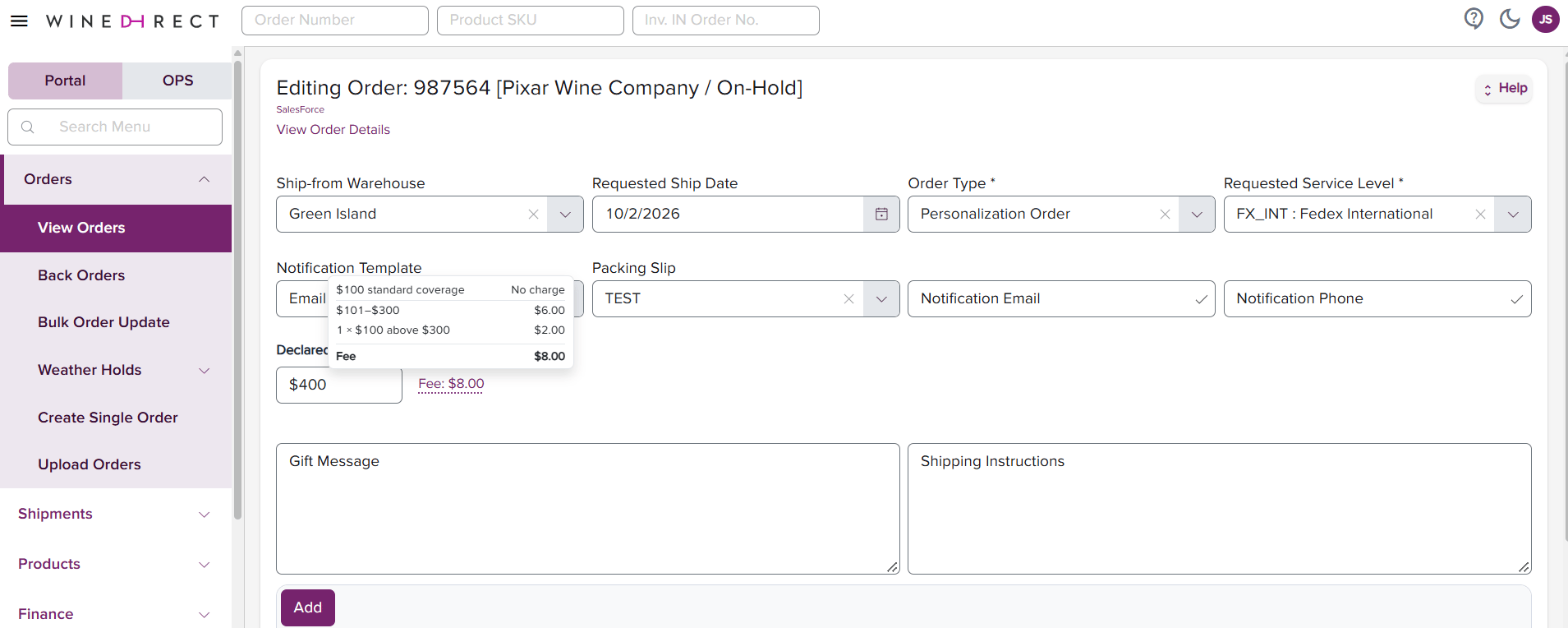
Review the fee
Hover over Fee to see how the total was calculated. Save the order when you’re ready.
How values are rounded
Coverage is sold in set levels, so the value you enter rounds up to the nearest level when you leave the field.- $100 or less: stays at $100, the standard coverage.
- $101 to $300: rounds up to $300, since that’s the carrier’s base rate tier.
- Above $300: rounds up to the nearest $100.
- Above $1,000: set to $1,000, the maximum per shipment.
Because values always round up, your coverage will never be lower than the value you entered (up to the $1,000 maximum).