This is an in-system feature and will only allow orders that are ON-HOLD and that can be edited to update with this change.
How to select a Hold at Location point for an order:
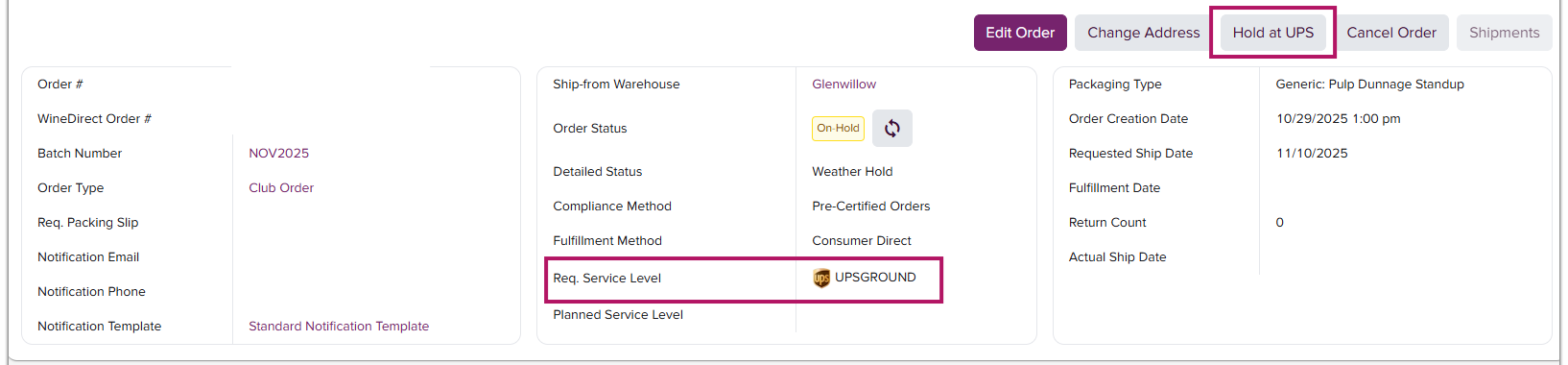
- After selecting an order, locate and click the Hold at UPS (or FedEx) button in the upper right section of the order details next to the Edit Order button:
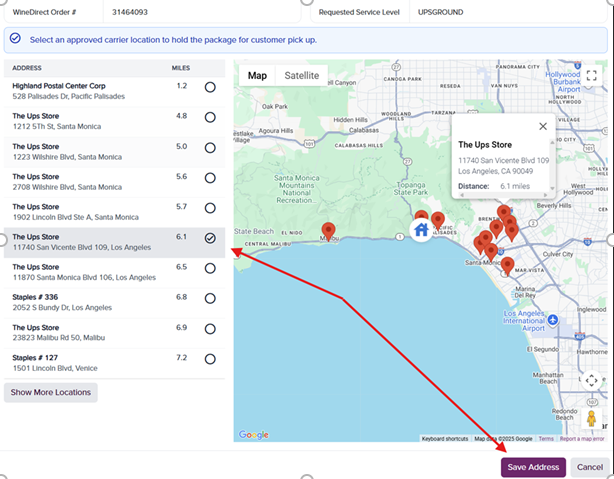
- A box will pop up where the addresses of all cooperating carrier locations are listed - again, in closest proximity (in miles) to the original shipping address. Select the new desired address and press SAVE:
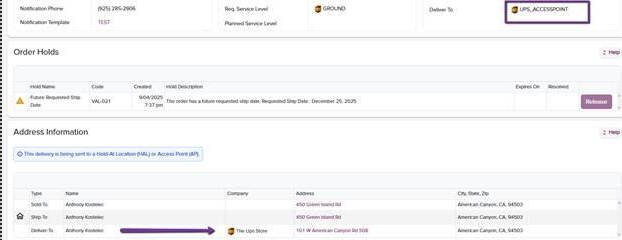
- All changes can be viewed on the original order details page under Address Information: