

This new shipping management feature will be rolled out to users who already have Redirect/Recall access over the next few weeks. Here’s what you’ll see:
How to Reschedule the Delivery of an Order
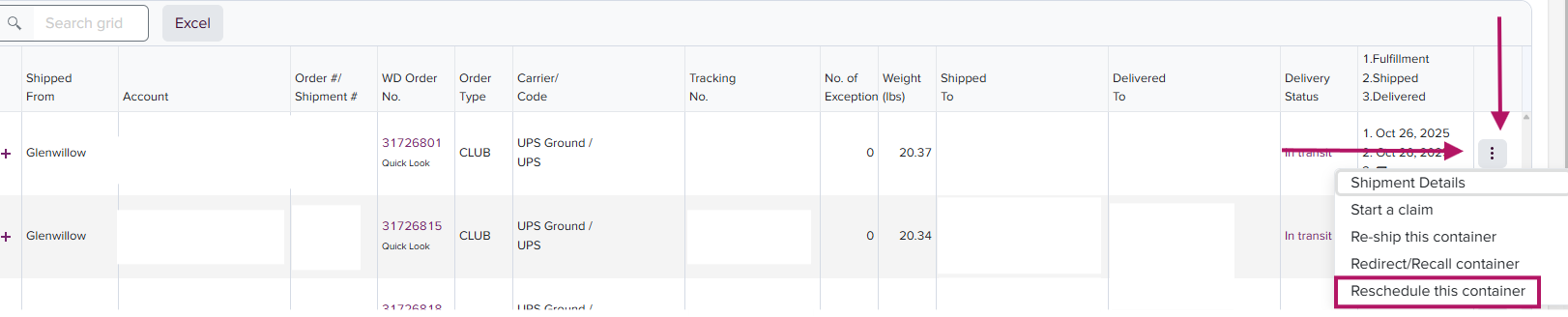
- Locate the order number within the Shipments tab and click the three-dot icon to the right of the container/tracking and scroll down to Reschedule This Container:
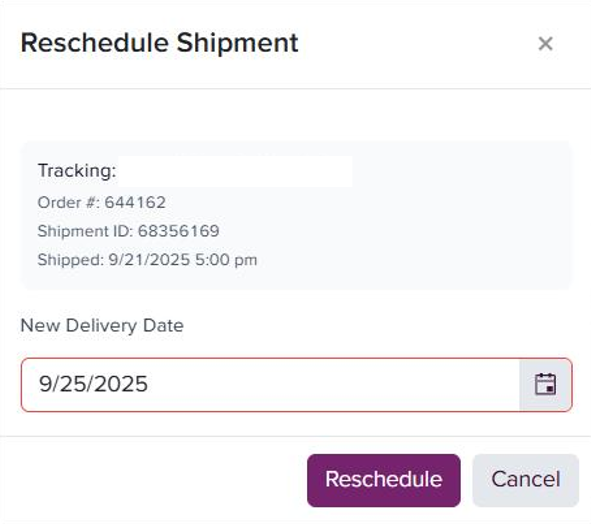
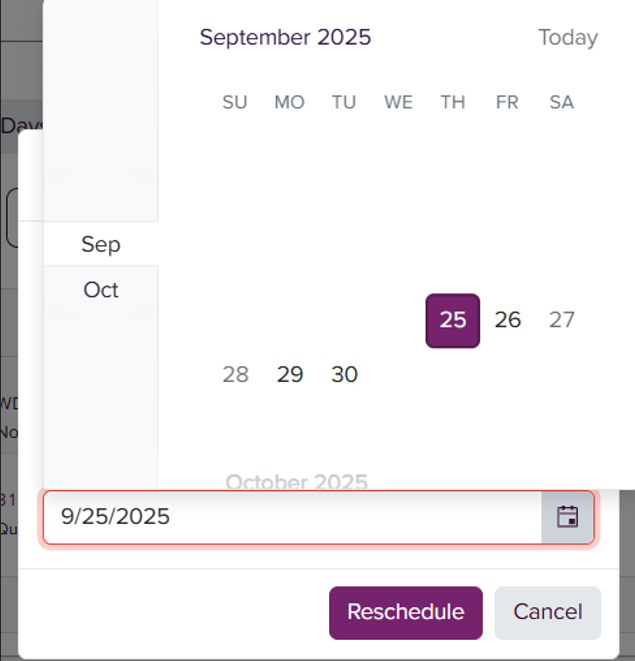
- Once this appears, you can click the calendar icon to select the new requested ship date and click Reschedule:
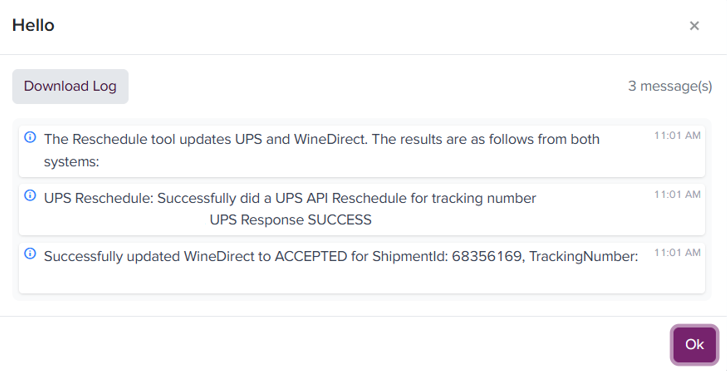
- The system will display a confirmation box showing the changes made and confirming that the reschedule request was successfully submitted to the carrier.
At this time, in-system rescheduling of the delivery of an order is only available for UPS-level packages. For all other actions and carrier requests, please email: csoperations@winedirectfulfillment.com