What is an Inter-Center Transfer?
The Inter-Center Transfer process allows clients to create an inventory movement submission that grants the client full visibility into each stage of the inventory move from one warehouse to another.How does the Inter-Center Transfer benefit our clients?
Key Customer Benefits: • Bypass the OUT fees traditionally incurred via Inter-Center Transfers • Automated billing: system-generated billing based on actual transfer quantities • Increased Inventory Visibility through the Inter-center transfer process: o Inventory moves from- Origin sub-Inventory
- Reserve for Warehouse Transfer sub-inventory
- In Transit for Warehouse Transfer sub-inventory
- Destination sub-Inventory
How to Create an Inter-Center Transfer
From the fulfillment portal home page, click: Products-> Inter-Center Transfers Create-> Create:
- Complete the following fields:
- Select a Supplier: Name of Winery
- Reference Number: Unique ID
- Email: Email of the user submitting the transfer
- From Warehouse: The WineDirect Fulfillment warehouse, where the inventory originates from
- To Warehouse: The WineDirect Fulfillment warehouse, where the inventory is transferred to
- Transfer Type: warehouse transfer
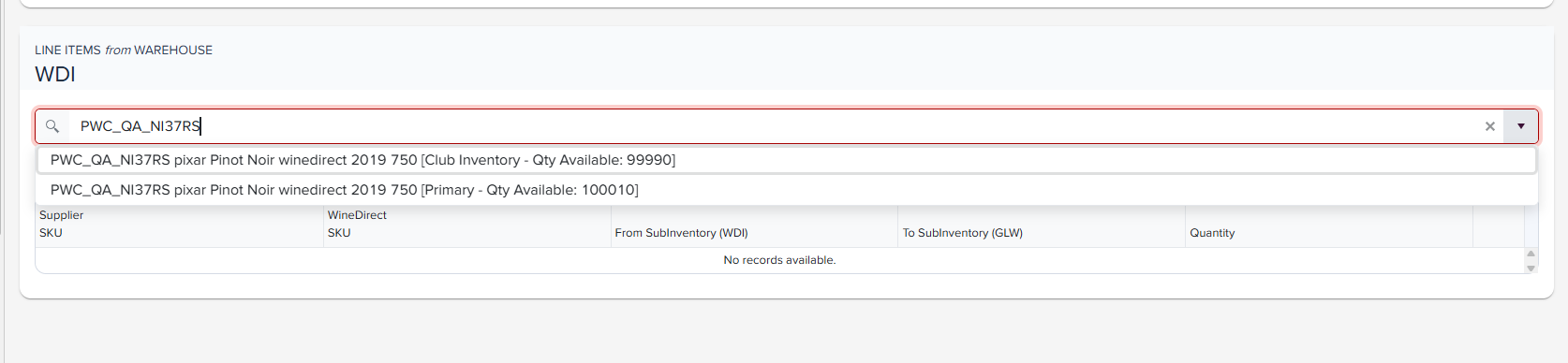
- Click Add Products to move to the next section and begin adding SKUs. As you begin typing the SKU, the SKU will populate in the dropdown listing how many bottles and all sub-inventories it is available within in the originating warehouse.
-
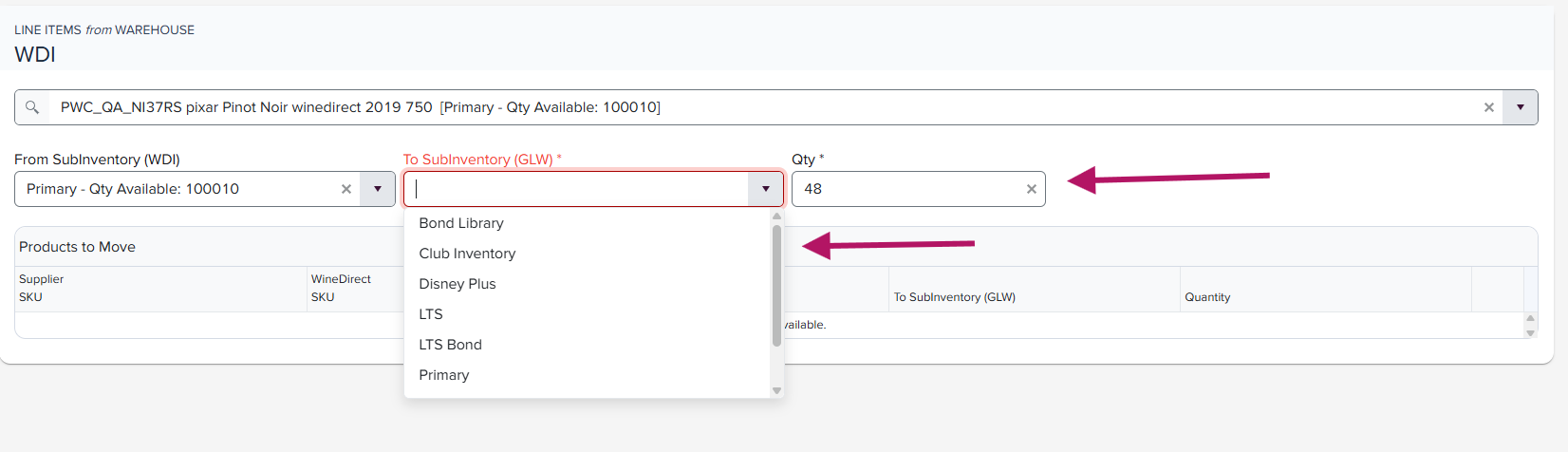
Select the sub-inventory that the transfer will be accepted into at the arrival facility:
-
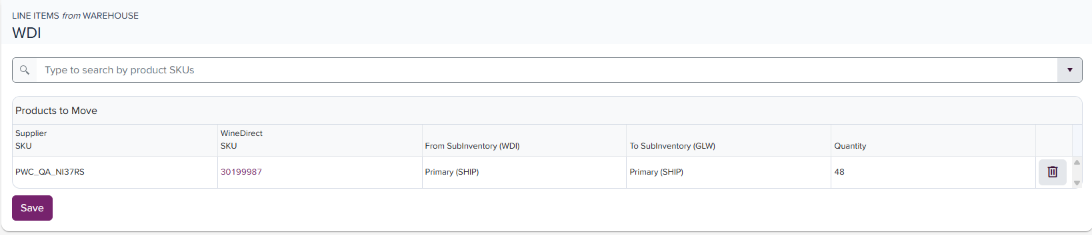
Click Add to add the line item SKU, and repeat this action to list all applicable SKUs to move in the transfer:
-
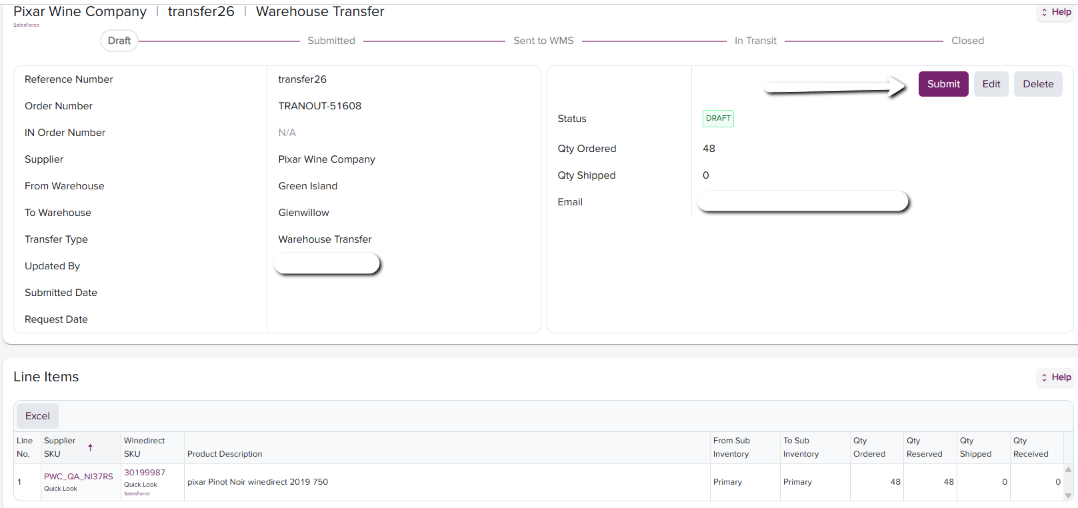
Click Save when all SKUs have been listed. This will take you to the final draft of the transfer, allowing you to review before clicking Submit:
Canceling an Inter-Center Transfer
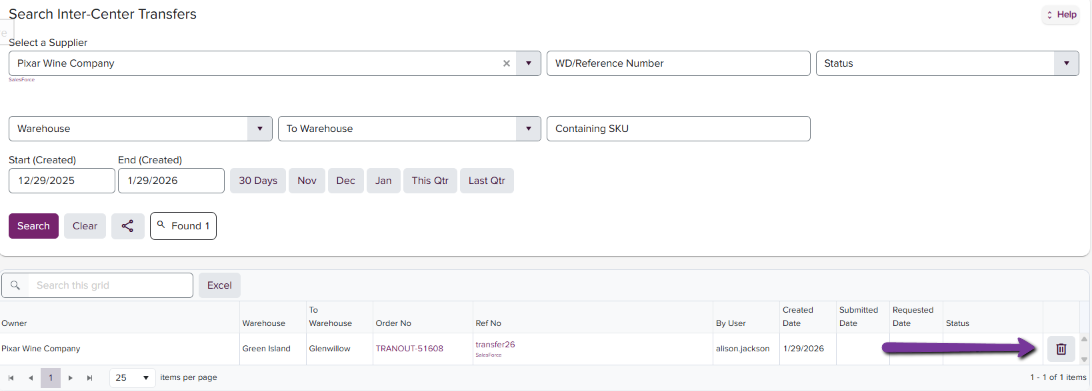
In the event you need to cancel an Inter-Center Transfer before it has been submitted:- Find and click on “Search Inter-Center Transfer.”
- Locate and click on the 3-dot icon near the right-hand side of the page
- Select Delete
- A small window will appear asking to confirm deleting the specific Inter-Center Transfer number
- Click on the “Confirm” icon